 Scuba Hub
Run the dive center from one page in your browser.
The Scuba Hub portal takes bookings from divers' phones, from your own website and from your desk, gets the forms signed before anyone reaches the dock, and shows you the day, the team and the money.
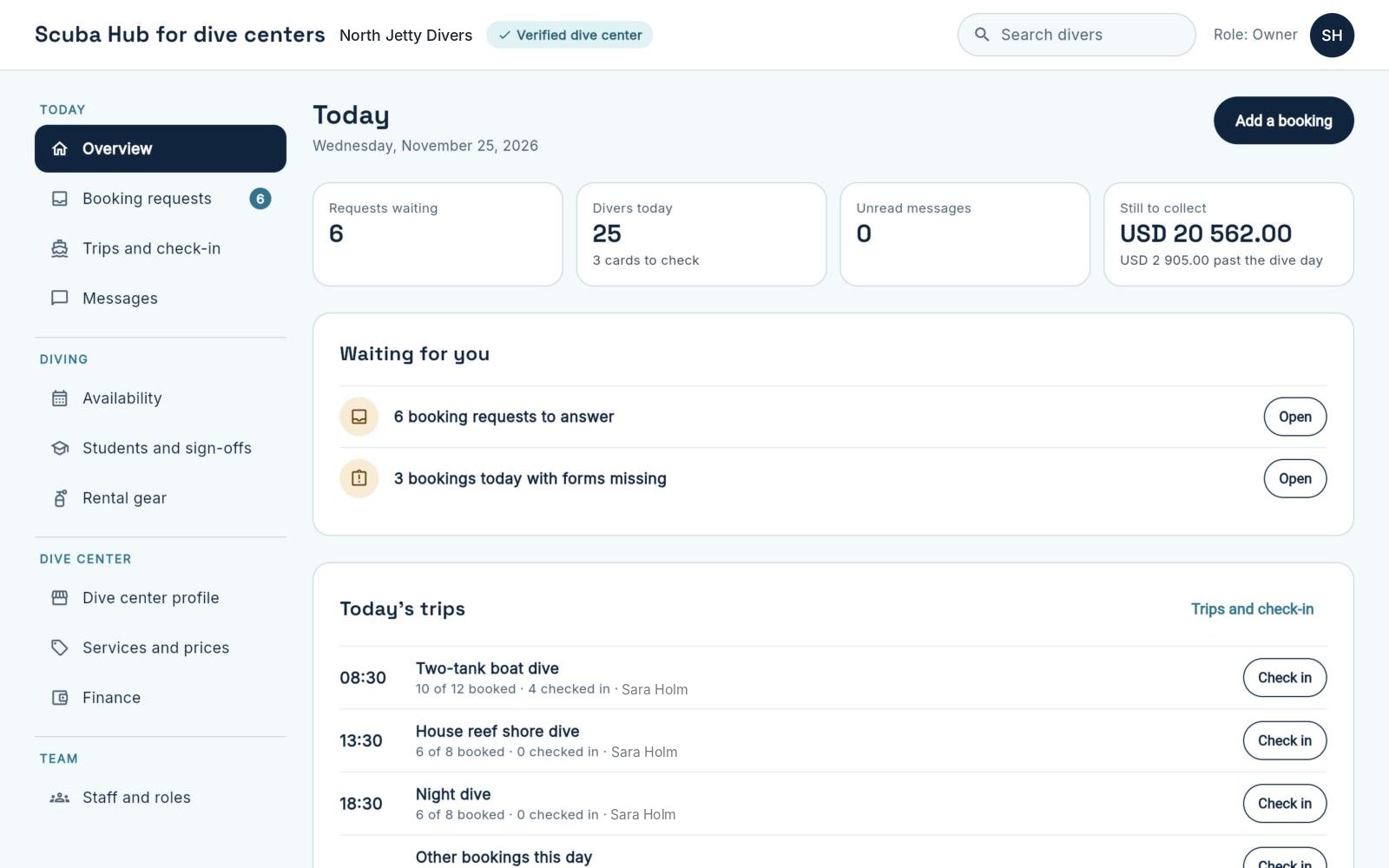
Start the day knowing what waits.
The portal opens on today: what needs an answer, who is diving, and what is still to collect.
- Booking requests, new messages and card checks in one list
- Today's trips with how many are booked and checked in
- Every number is a link to the page behind it
Bookings from the app, and from your desk.
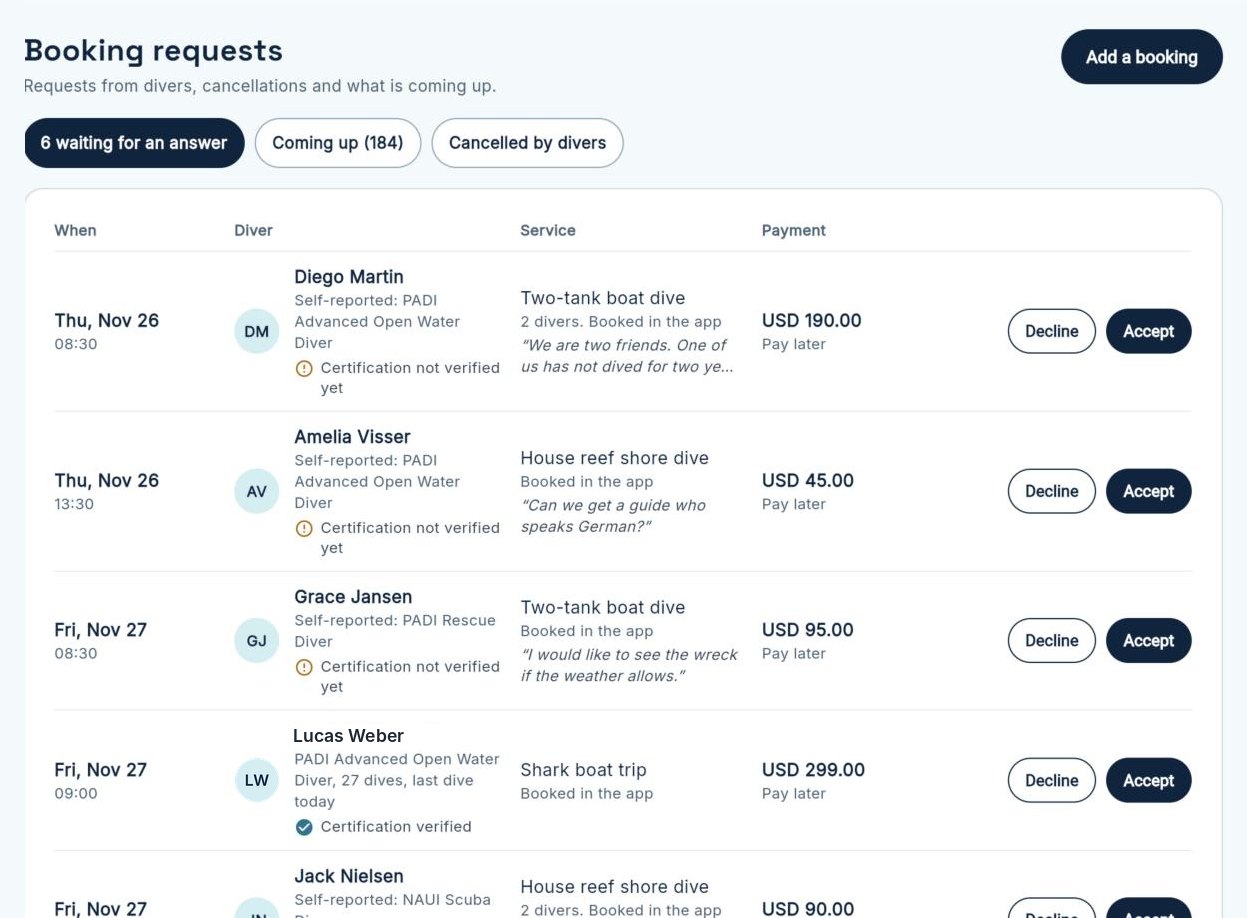
Divers ask from their phone. Walk-ins and phone calls you add yourself. Both end up in the same place.
- See the diver's certification and dive count before you accept
- Open spots per guide and per day, so a trip is never overbooked
- Courses run over several days, with their own schedule
- Cancellation rules and deposits that divers see before they book
Bookings from your own website, too.
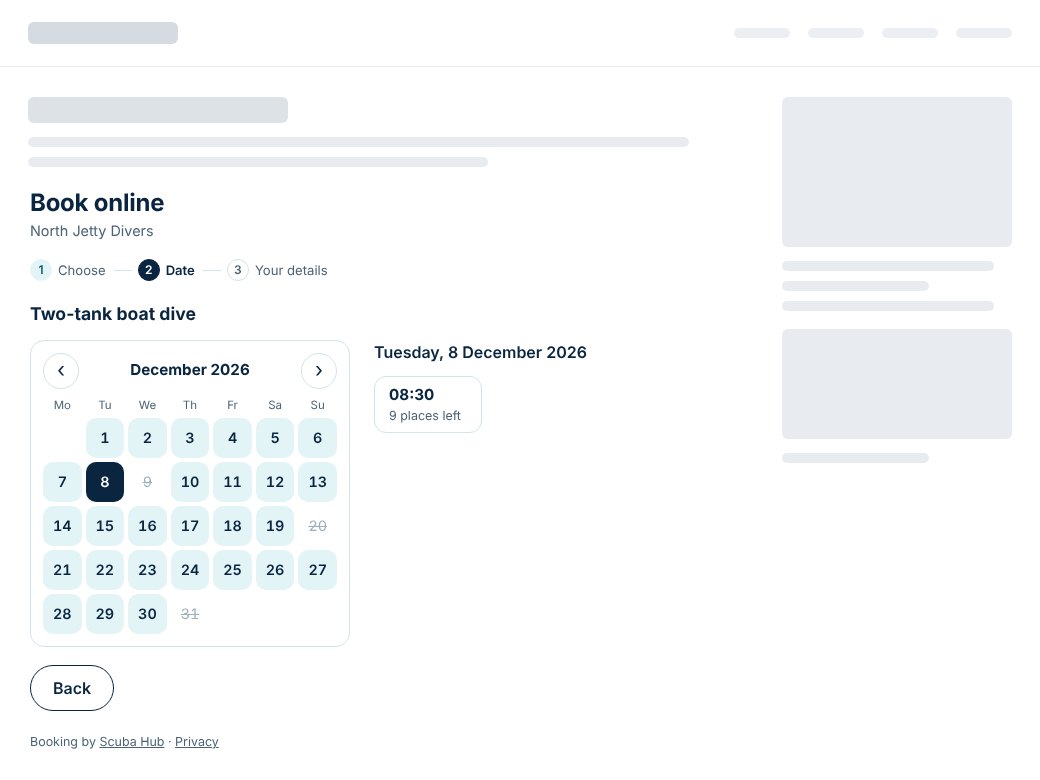
Put the booking form on your website with two lines of code, or share your own booking link. Requests land in the portal next to the ones from the app.
- Guests choose a trip or a course, a day on the calendar and a time, and only see what still has room
- Works on any website you can paste code into, from WordPress to Wix and Squarespace, or as a link to your page on book.scubahub.cc
- You choose which services can be booked online
- Guests get an email when the request arrives and when you answer it, and their replies reach you
- Protected against spam bots, with no cookies and no tracking of your visitors
Check-in at the dock, with nothing on paper.
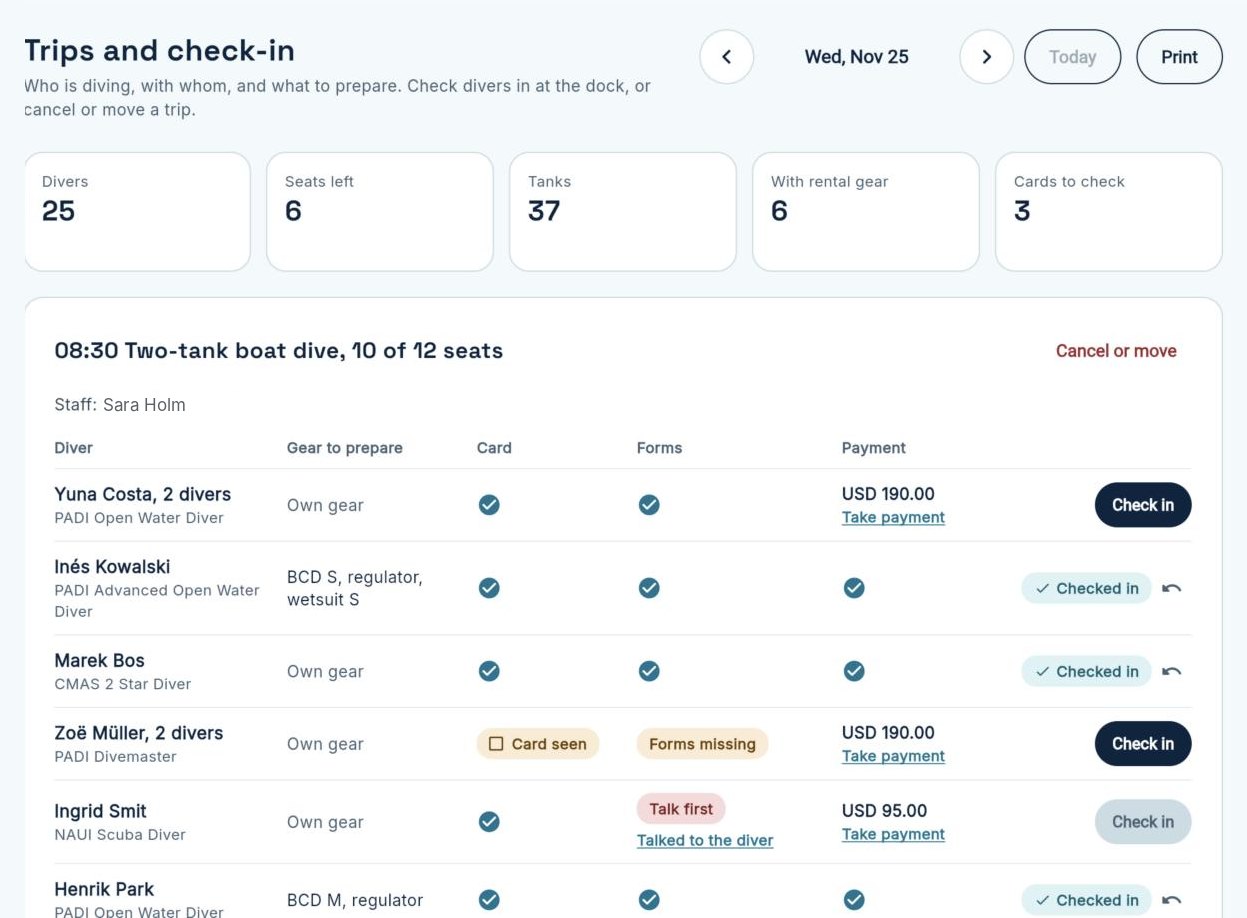
One page per day is the manifest: who dives, with which guide, with what gear.
- Cards checked, waiver and medical statement signed in the app
- A Yes on the medical form blocks check-in until staff have talked to the diver
- Take payment right where you check in
- Cancel or move a whole trip in one go
- Print the day as one list for the boat
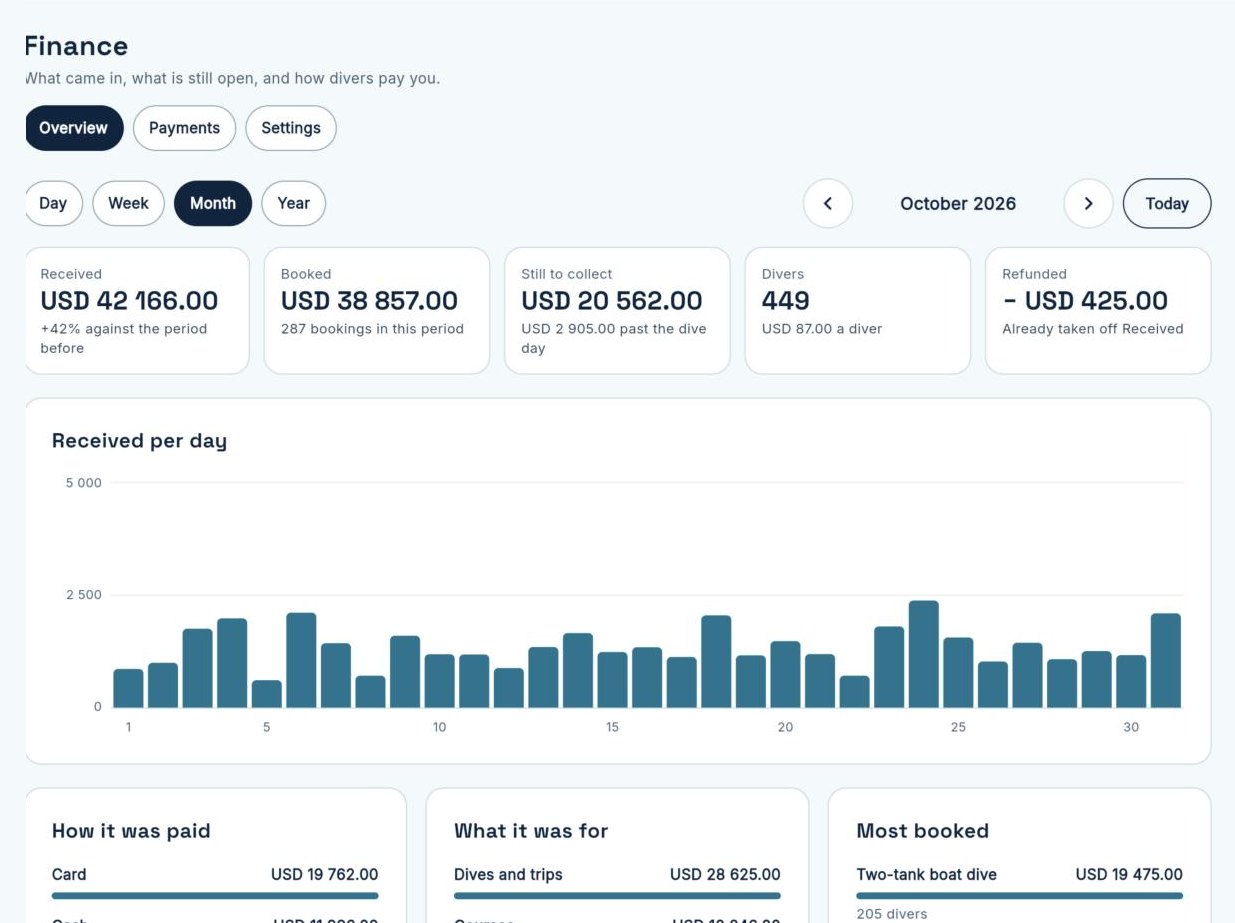
Know what came in, and what is still open.
Write down every payment with how it was paid. Scuba Hub never holds the money: divers pay you.
- Figures for a day, a week, a month or a year, against the period before
- Part payments, deposits and refunds
- Who still has to pay, oldest first
- A receipt per payment, and a CSV export for your accountant
Simple bookkeeping of what you received. It is not a tax record; check with your accountant what you need to keep.
Already running other software? We help you move.
You do not have to start from an empty screen. Tell us what you use today, and we bring your dive center across with you.
- What we moveYour services and prices, dive packages, rental gear, and the bookings you already have in the calendar.
- How it goesYou send us an export or a spreadsheet from your current system. We load it, you check it, and you pick the day you switch.
- Your diversThey keep diving with you as before. Those who install the free app get their logbook and forms on their phone; everyone else you book at your desk.
The rest of the portal.
- Students and sign-offsCourse steps signed off by a verified instructor, training records, card checks and stamps for logged dives.
- Rental gearWhat you own, what is out and with whom, and what is due for service or a tank test.
- Services and packagesTrips, courses and rental with prices, and dive packages sold in advance.
- One page per diverBookings, payments, forms, packages and courses of one diver together. Find anyone from the search box.
- Staff and rolesInvite your team and decide who may take bookings, sign off students, see payments or edit prices.
- MessagesOne conversation per diver, shared by the team, with block and report.
- VerificationWe check each dive center before it shows as verified to divers. Instructors are verified separately.
Founding dive centers pay nothing for the first year.
Every Pro feature is included. We ask before anything is charged, and we take no fee on what divers pay you.
- What you needA computer or tablet with a browser. Nothing to install.
- Setting upA checklist takes you from your profile to your first open spot.
- Your diversThey use the free Scuba Hub app. Guests without the app book on your website, or you book them at your desk.